How to Submit Supporting Documents
How to submit supporting documents
Depending on your agreement type, you may need to upload supporting documents before an agreement can be paid. This helps us meet our regulatory obligations, prevent fraud and verify your customer's purchase.
If documents are required, we'll email you a direct link to the agreement. Alternatively, you can upload them at any time through the Partner Portal.
Supporting documents are always uploaded after your customer has signed their agreement.
Step 1 – Open your Tasks
Log into the Partner Portal and go to Agreements → Tasks.
Any agreements waiting for supporting documents will show as having Supporting Documents Required as the action. Click on this.
Step 2 – Upload your documents
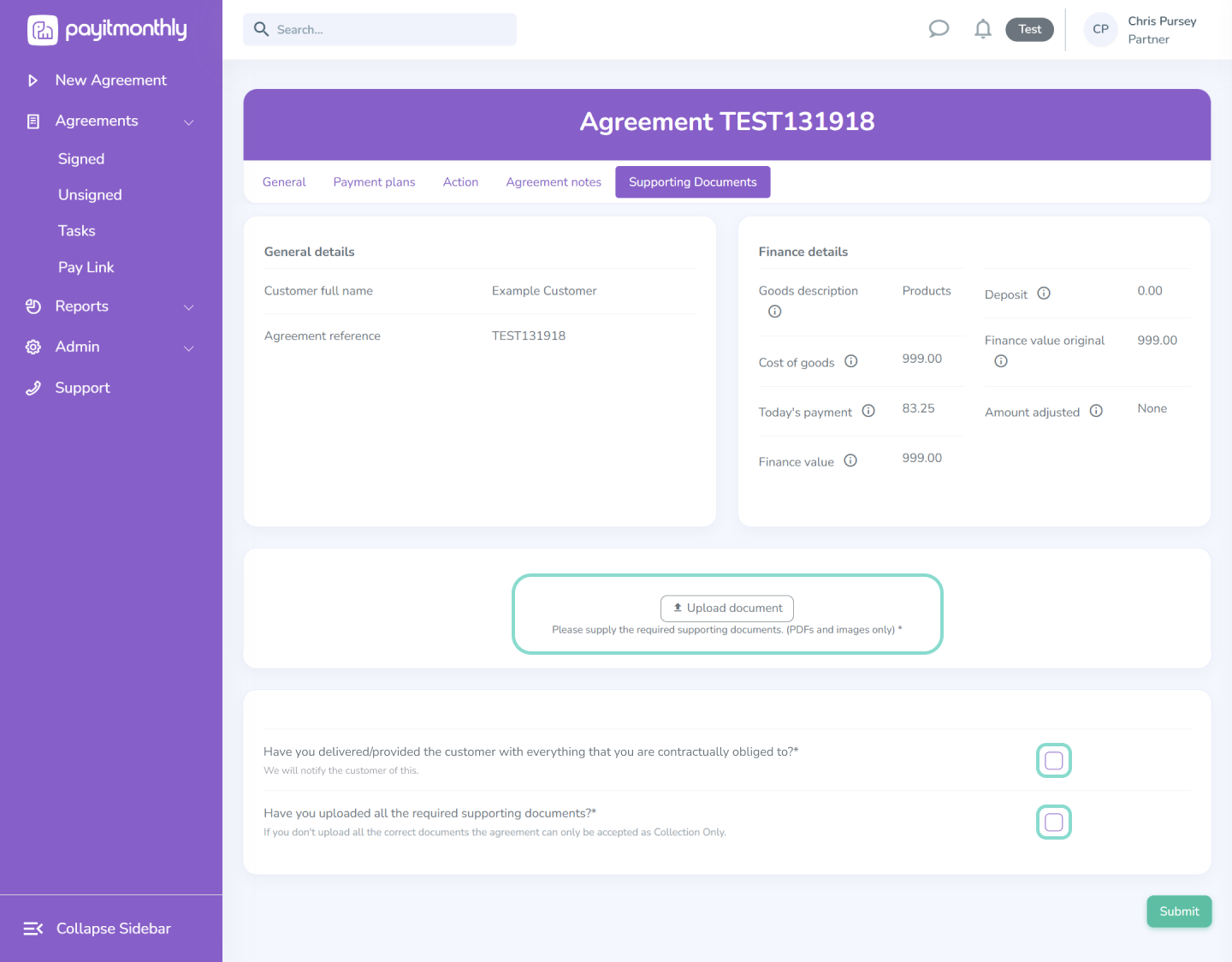
Once you have opened the agreement by clicking on the agreement reference or ‘Supporting Documents Required’ link you then need to select Upload Documents.
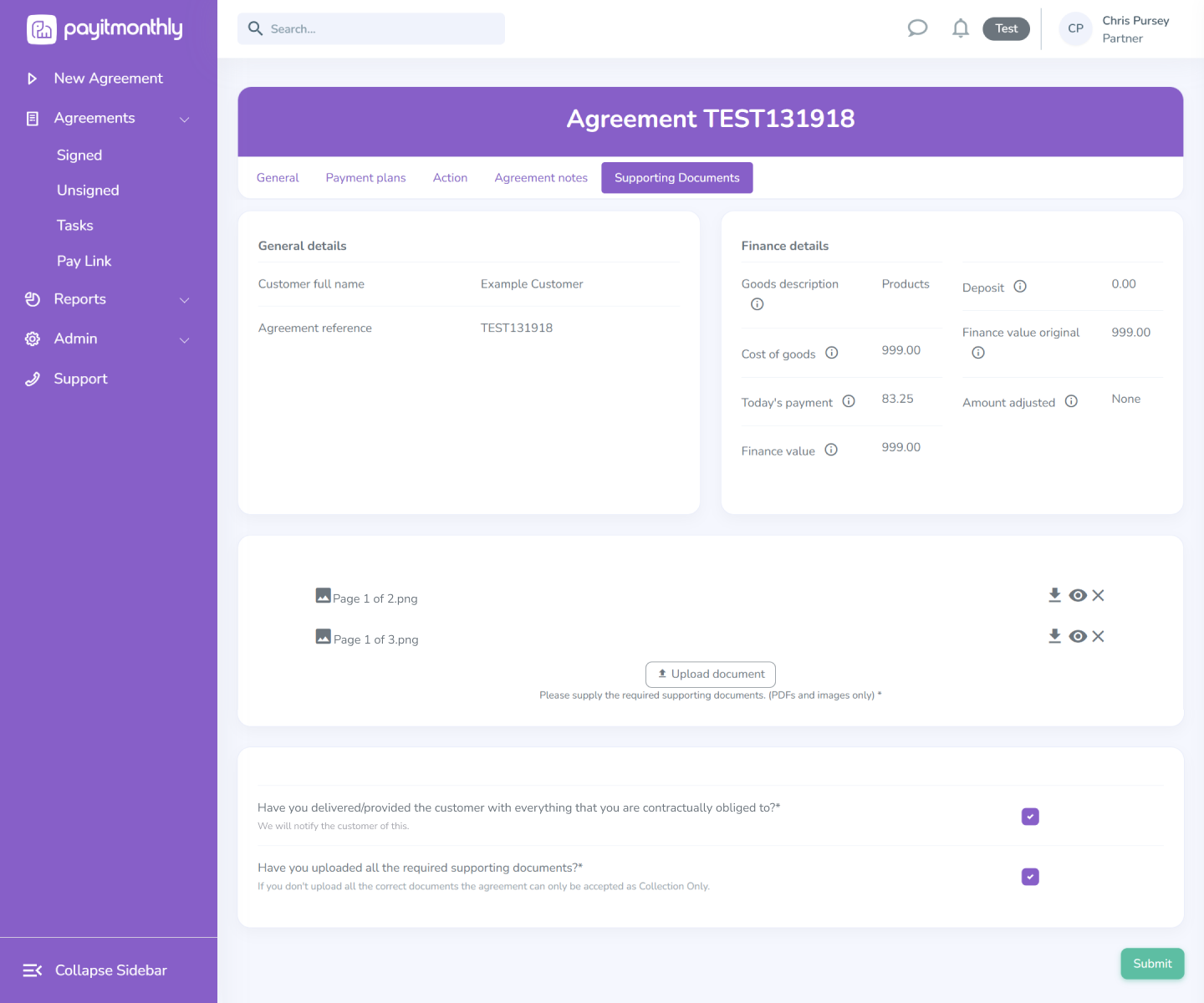
Once you have uploaded the invoice and proof of completion/ delivery, you then need to tick the boxes below the document upload to confirm:
- The goods or services have been delivered in full.
- The documents you've uploaded are correct.
Select Submit to send everything to our verification team.
What happens next?
We'll review your documents as quickly as possible.
- Approved: Your agreement will be scheduled for payment.
- More information needed: We'll email you explaining what needs updating so you can re-upload your documents.
Top Tip
Upload your supporting documents as soon as your customer has signed the agreement and you've delivered the goods or services. Using our Supporting Document Template can help avoid delays and ensure your agreement is approved first time.
Need more help?
If you're unsure which supporting documents are required or why an agreement has been returned, our Support Team will be happy to help.
By Alex Keith
January 20, 2026