Step 1
Log in to your PayItMonthly account and navigate to:
Agreements > Signed
Log in to your PayItMonthly account and navigate to:
Agreements > Signed
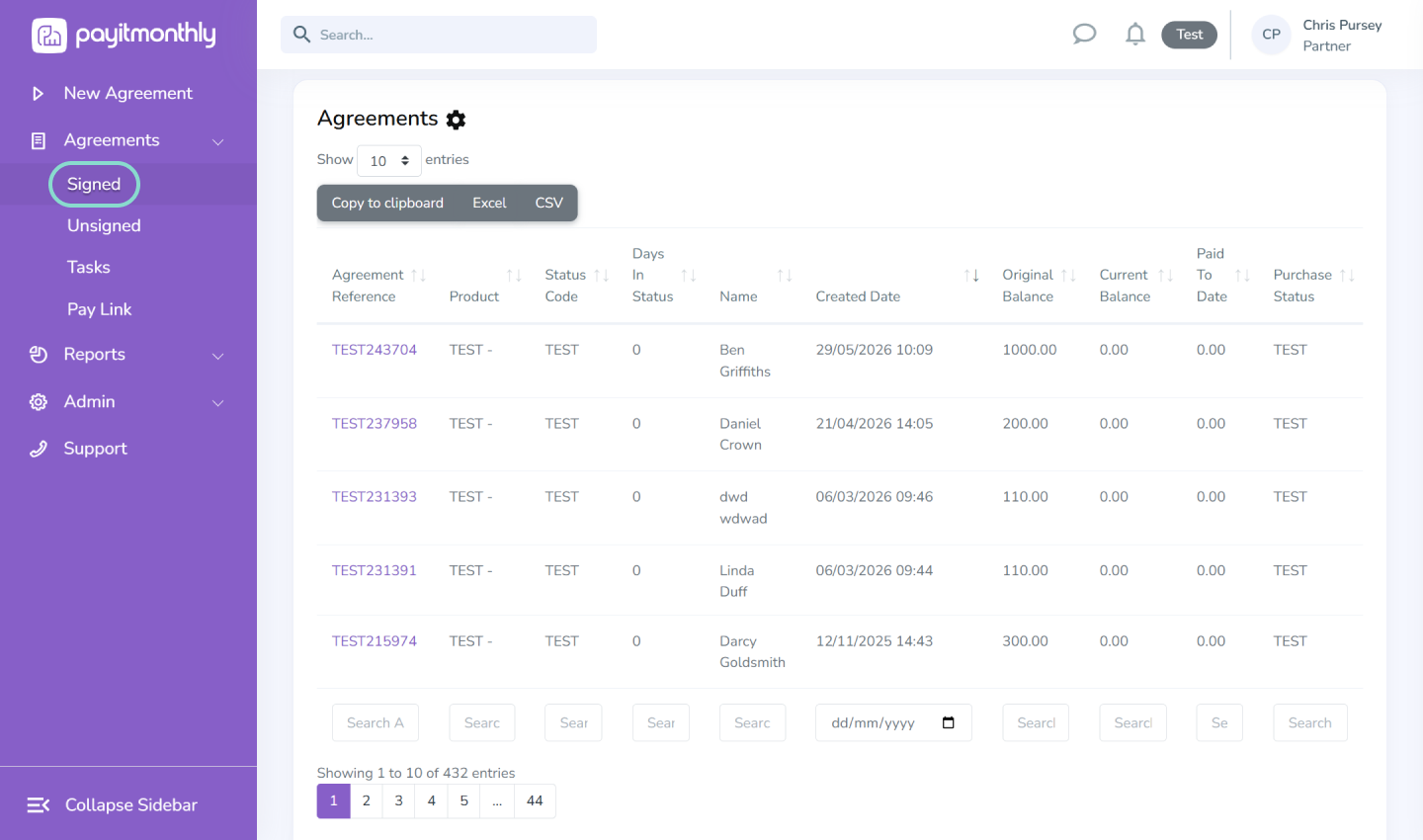
You can search / filter by any of the search criteria via the boxes at the bottom of the table to find the customer/agreement you wish to amend or cancel.

Use the search filters to find the customer or agreement, then select the Agreement Reference.

Select the Actions tab to submit your request.
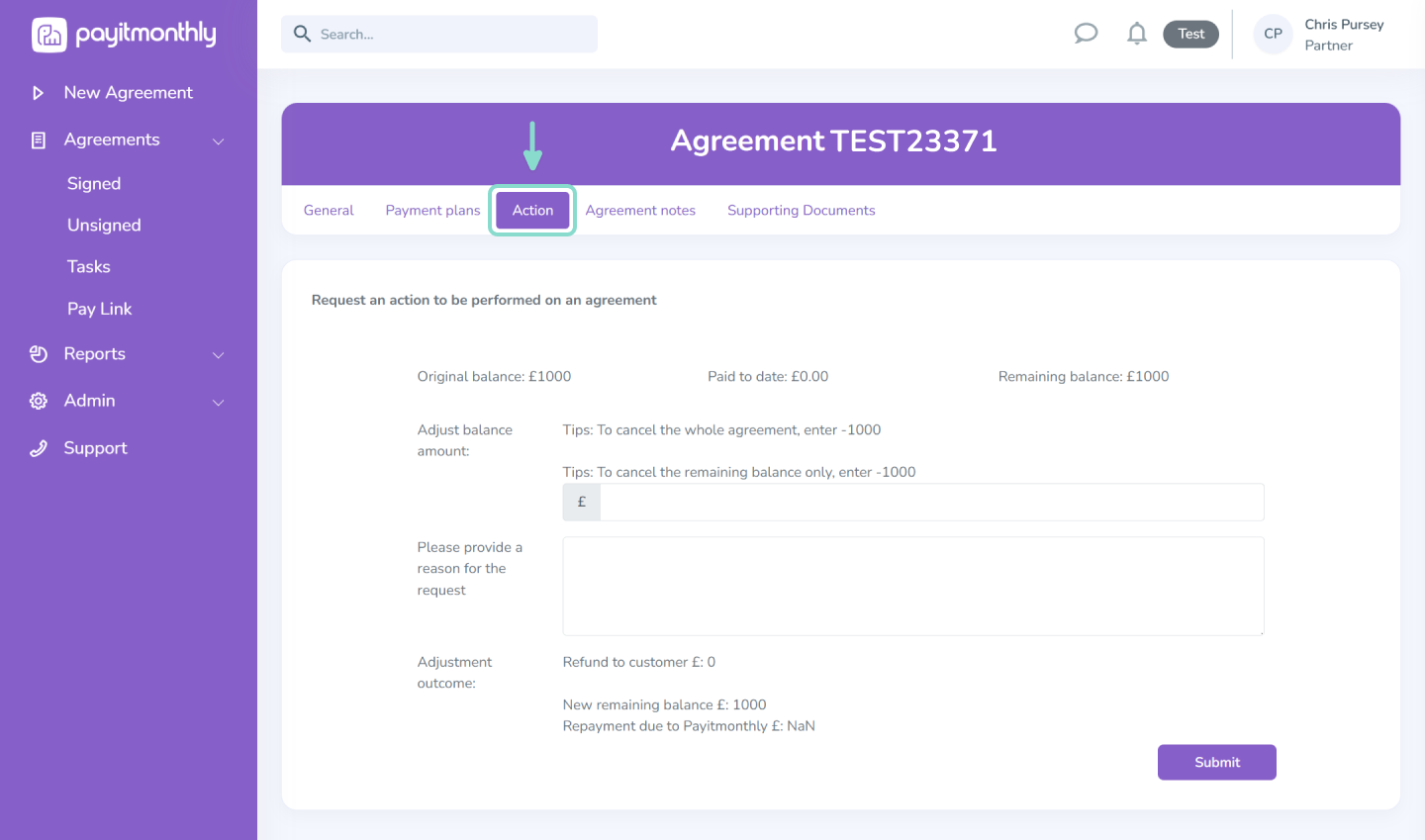
What would you like to do?
Action: Cancel the agreement and refund the customer
What to enter: Enter the original finance amount as a negative value (e.g. -£1,000).
Action: Reduce the remaining balance (no refund)
What to enter: Enter the remaining balance as a negative value. This closes the agreement without refunding previous payments.
Action: Increase or decrease the balance
What to enter: Enter the amount you want to increase or decrease the balance by.
Please note: You can only increase a customer's balance by up to 5% of the original finance amount. If a larger increase is required, the customer will need to complete a new finance agreement.
Before you submit
Use the Reason for Request box to explain why you're requesting the cancellation or balance adjustment.
Once submitted, your request will be reviewed by our Business Communications team for approval.

If you have any questions about cancelling an agreement or adjusting a balance, get in touch with our Support Team. We're happy to help.
Email: support@payitmonthly.uk
Call: 0333 212 3914




You can contact us via our main phone number or email and we’ll direct your enquiry to the relevant department.

Contact Us: 0333 212 3914